
What Is a Quick Logo Design Workflow for a Small Business?
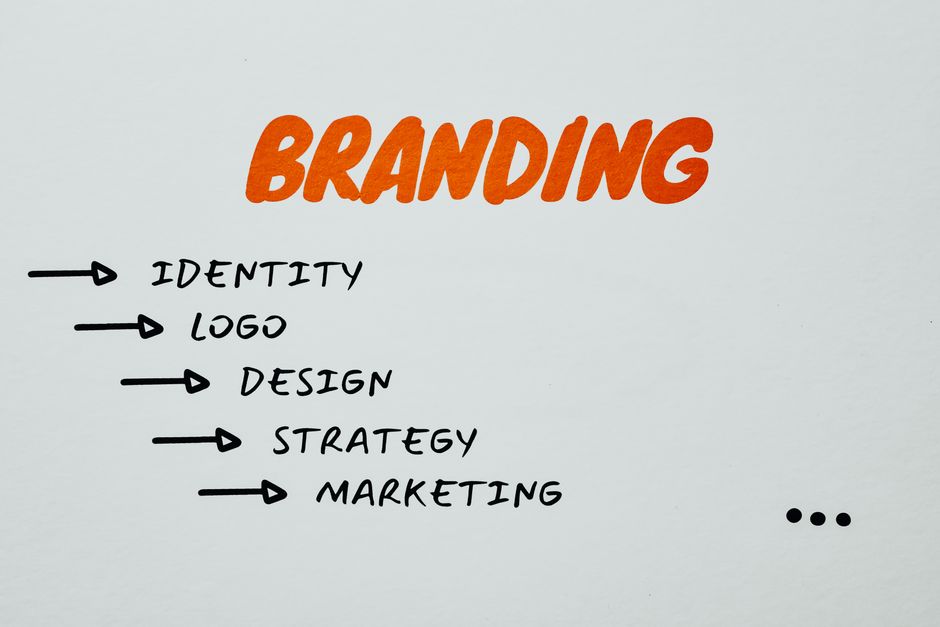
A quick logo design workflow is to choose a business name and a simple visual direction, generate a few concepts, then keep the strongest one simple enough to work at small sizes and in monochrome. Before adopting it, check the download format, the plan’s commercial-use terms, and whether the design resembles existing marks or relies on a widely shared template.
Can ChatGPT design a logo, and what should I check before using its result?
ChatGPT can help generate logo concepts, but an AI-generated result is a starting point rather than a guarantee of a unique, protected brand mark. OpenAI’s Terms of Use say users own output as between themselves and OpenAI, to the extent permitted by law, while also placing responsibility on users to ensure their content does not violate laws or others’ rights.
That distinction matters. Ownership under a service’s terms does not establish that a design is original, that another person has not received a similar result, or that the logo can be registered. OpenAI explicitly cautions that output may not be unique and other users may receive similar output. So compare the design against relevant businesses and marks before using it as the face of a business.
Copyright and trademark are separate questions, too. The U.S. Copyright Office’s January 2025 report says copyright does not extend to purely AI-generated material or material where there is insufficient human control over expressive elements; prompts alone are not enough under currently available technology. Human-authored elements and meaningful creative selection, arrangement, or modification may qualify case by case. Treat generated artwork as material to refine, not as automatic legal protection.
For a potential trademark, the USPTO recommends searching its federal database as one part of clearance. Similarity can involve appearance, sound, meaning, or overall commercial impression, especially for related goods or services. A search cannot uncover every conflict, so a quick online check is useful screening, not certainty.
How can I create a simple logo quickly without design experience?
You can create a simple logo quickly by deciding what it must say, generating a few options, then removing details that fail at small sizes. A restrained process is more useful than asking a tool to solve every branding question at once.
- Choose the name and direction. Write the business name exactly as it should appear. Pick a broad visual direction—such as text-led, symbol-led, or a combination—and identify one or two qualities the design should convey.
- Generate a limited set of concepts. Use a logo maker or AI tool to explore variations, not to keep producing options indefinitely. Too many alternatives can make a simple decision feel like a referendum on the whole business.
- Simplify the strongest concept. Remove decorative details that compete with the name or become hard to distinguish when reduced. Canva says users can create an original logo from scratch with simple lines, shapes, and library fonts; that approach also avoids relying automatically on a ready-made logo template.
- Test it in small sizes and monochrome. View the design at the size it might occupy on a profile icon or small document, and check whether it remains legible without color. These checks do not prove that the logo is legally distinctive, but they reveal whether the concept works as a practical mark.
There is a useful limit to this workflow: a logo does not have to carry the entire identity of a business. A readable name and a clear, reproducible mark are often more practical than a complex illustration that only works at one size. Keep the first pass small enough that the business can move on to the work the logo is meant to identify.
Is there a free logo design tool that lets me download the finished logo?
Yes, some tools offer a free download, but “free logo” does not necessarily mean every file format, transparent background, or license is included. Check the final download options and plan terms before spending time customizing.
Canva’s PNG logo page describes a beginner workflow of choosing a template, customizing it, selecting PNG, and downloading; it also says PNG supports a transparent background. However, Canva notes that its background-remover feature is part of Canva Pro, so confirm that the exact transparency treatment you need is available on your plan. A transparent PNG is convenient for many digital placements, but it is still a pixel-based image.
LOGO.com’s FAQ says its free tier lets a user create and customize one logo and download it in PNG format. It identifies additional formats such as AI and SVG as paid-plan downloads. That difference matters when the logo needs to scale cleanly for print or other large formats: a vector file such as SVG is designed to resize without the same pixel limitations as a PNG.
| What to check | Why it matters |
|---|---|
| PNG download | Useful for many digital placements; confirm whether the background is transparent. |
| SVG or another vector format | Better suited to resizing for different dimensions and print workflows; it may require a paid plan. |
| Commercial-use terms | Confirm the permitted uses for the plan and the specific design elements. |
| Template or stock content | Shared assets may limit exclusivity and trademark suitability. |
Before designing, find the actual export screen or help page and verify the file types available to your account. Then read the license tied to that plan. LOGO.com says downloaded logos can be used for business, marketing, and products, but advises checking its terms for the precise plan and brand license. A download button answers what file you can get; it does not answer every rights question.
Which logo maker is easiest for a new small-business owner?
The easiest logo maker is the one whose workflow, export options, and license fit the business’s immediate needs; the available sources do not establish a single easiest tool for every owner. For someone who wants a guided visual workflow, Canva describes choosing a template, customizing it, and downloading a PNG. For someone comparing file access, LOGO.com’s FAQ clearly distinguishes its free PNG download from paid vector formats.
Convenience has a trade-off. Canva says templates and stock content are non-exclusive and available for others to use; it describes templates as a quick option for basic branding when exclusive rights are not needed. Its guidance says a template-based mark cannot be registered as a trademark. Canva also says an original logo can be created from scratch with simple lines, shapes, and fonts, which gives a business more control over the combination while still leaving trademark clearance to do.
Use this practical decision rule: choose a template when speed and basic identification matter more than exclusive rights; investigate a more original design when the logo will be central to the brand or trademark registration is a goal. In either case, inspect for lookalikes before committing. The USPTO notes that potential conflicts are not limited to exact copies and that no search method catches every possible conflict.
Finally, judge ease by the whole job, not just the editor. A tool that makes a mark quickly but withholds the format needed for print, or leaves commercial-use terms unclear, has only made the first part easy. A short check of download and license details can prevent a longer redesign later.
Frequently Asked Questions
How can I tell whether a free logo download includes a transparent background and usable file formats?
Check the download screen and plan details for the exact file types and whether transparency is included. Canva describes PNG as supporting transparency, while LOGO.com says its free tier includes PNG and that AI and SVG downloads require a paid plan.
Can I use a logo made with a free online tool for my business?
Some tools state that their downloads can be used for business, but the permission depends on the specific service, plan, and content used. Read the applicable license and terms before publishing the logo, and do not treat permission to use a file as proof that the mark is exclusive or safe to register.
Will a quick logo maker create a design that is distinctive enough for my brand?
It may produce a useful starting point, but templates and generated designs can resemble work available to other users. Compare the design with relevant marks and consider a trademark clearance search before relying on it as a distinctive brand mark.
Sources
You may also like
What Does a Graphic Design Studio Do?
A graphic design studio creates branding, print, packaging, digital, and marketing visuals through a defined design and approval process.

7 Graphic Design Freelance Websites: Choose the Right Fit
Compare graphic design freelance websites by work format, fees, portfolio fit, and payment terms.
How Does a TikTok Influencer Agency Work?
Compare TikTok agency costs, legitimacy, creator access, contracts, commissions, and how TikTok earnings actually work.

How Do I Represent Myself in Child Support Mediation?
Prepare for child support mediation with the right records, a clear view of guideline calculations, and an understanding of what may happen if talks stall.